- Home Page /
- Books /
- Computers & Technology /
- Web Development & Design /
- Web Design /
- Dreamweaver /
- Macromedia Dreamweaver Mx Hands-On Training: ...

Item #:
16794505
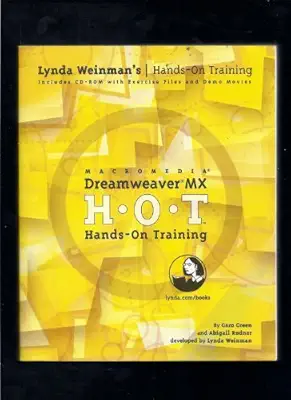
Macromedia Dreamweaver Mx Hands-On Training: H-O-T : Hands-On Training
Item #:
16794505
HKD 294
Price Details
Excluding Shipping & Custom charges ( Shipping and custom charges will be calculated on checkout )
*All items will import from US
0 ratings
Write a review
In stock
 Imported from USA store
QTY:
Order now and get it around Wednesday, June 24
Secured transaction
Ubuy works hard to protect your security and privacy. Our advanced payment security system ensures confidentiality by encrypting your information during transmission using AES (Advanced Encryption Standards) and SSL (Secure Socket Layer) protocols. Your payment details are 100% secure as we do not share your payment details with third party sellers.
Our Top Logistics Partners


Thousands of readers have learned how to use Dreamweaver by simply following the step-by-step exercises in this foolproof book.

Fast
Shipping

Free
Return*

Secure Packaging

100% Original Products

PCI DSS Compliance

ISO 27001 Certified


Note: Step Down Voltage Transformer required for using electronics products of US store (110-120). Recommended power converters Buy Now.


What Stands Out
Interactive Learning
Experience practical, hands-on training that engages users directly with Macromedia Dreamweaver Mx, enhancing learning retention and skill application for budding web developers.
Comprehensive Curriculum
The training covers all essential features of Macromedia Dreamweaver Mx, from basic functions to advanced techniques, ensuring a thorough understanding for users at any skill level.
Expert Guidance
Learners receive support from seasoned instructors, offering insights and tips that go beyond standard tutorials, helping users navigate challenges more effectively and confidently.
Product Details
| Publisher | Peachpit Pr |
| Publication date | January 1, 2002 |
| Language | English |
| Print length | 700 pages |
| ISBN-10 | 0321112717 |
| ISBN-13 | 978-0321112712 |
| Item Weight | 2.65 pounds (1.2 kg) |
| Dimensions | 7.5 x 1.25 x 9 inches (19.1 x 3.2 x 22.9 cm) |
Who Should Buy?

-
Beginners in Web Design
Ideal for those starting web design, offering practical, hands-on training to build foundational skills in Dreamweaver.
-
Curriculum Developers
Great for educators creating web development courses, this resource provides structured training materials for student engagement.
-
Freelance Web Developers
Perfect for freelancers looking to enhance their skills, combining theory with practice to improve client project outcomes.

-
Advanced Developers
Experienced users might find the content too basic, lacking advanced techniques and features for professional development.
-
Non-Tech Savvy Users
Individuals with no technical background may struggle with the software’s complexity despite hands-on guidance.
-
Mobile Developers
Not suitable for those focused on mobile app development since it primarily addresses desktop web design and tools.
Product Description
Macromedia Dreamweaver Mx Hands-On Training: H-O-T : Hands-On Training
Have any Query? Chat with us
Customer Questions & Answers
-
Question:
What is Macromedia Dreamweaver MX Hands-On Training?
Answer: Macromedia Dreamweaver MX Hands-On Training is a comprehensive guide designed to help users learn the powerful features of Dreamweaver MX, one of the leading web development tools. The training encompasses practical exercises that cover everything from interface basics to advanced coding and design techniques. This hands-on approach ensures that learners can apply their knowledge effectively in real-world scenarios, whether they’re creating websites from scratch or enhancing existing projects. -
Question:
Who is this training suitable for?
Answer: This training is ideal for a wide range of users, including beginners new to web design and experienced designers looking to refine their skills. Whether you are a student, a professional developer, or a freelance designer, the course provides valuable insights and practical exercises tailored to individual skill levels. Users will benefit from interactive lessons that demystify the software's functionality, helping them build robust websites and applications efficiently. -
Question:
What skills will I learn from this training?
Answer: From this training, you will learn essential skills such as website layout design, coding in HTML and CSS, using templates, and integrating multimedia elements. Additionally, the course covers topics like managing your web projects, leveraging server-side scripting, and ensuring responsive web design. These skills are crucial for anyone looking to establish a career in web development or to enhance their existing capabilities for personal projects or business needs. -
Question:
Is prior knowledge of web design necessary?
Answer: While prior knowledge can be beneficial, it is not strictly necessary to begin this training. The course is structured to accommodate learners of all levels, starting with the fundamentals and gradually introducing more complex concepts. This makes it an excellent choice for those who may not have a technical background but are eager to learn the ins and outs of web development using Dreamweaver MX. -
Question:
Are there any additional resources included?
Answer: Yes, Macromedia Dreamweaver MX Hands-On Training often includes supplemental resources such as instructional videos, downloadable project files, and access to online forums or communities. These resources enhance the learning experience by allowing users to practice alongside the training guide and engage with other learners. This collaborative aspect can significantly enrich your understanding and application of what you learn. -
Question:
How can I validate my learning after completing the training?
Answer: After completing the training, validation can be achieved through practical application of the newly acquired skills. Consider creating a personal project or redesigning an existing site to showcase your capabilities. Additionally, many users find value in seeking certification in web design or Dreamweaver specifically to further validate their skills in a professional setting. This can enhance your resume and provide a competitive edge in the job market. -
Question:
What projects can I create using Dreamweaver MX?
Answer: With Dreamweaver MX, you can create various types of web projects, including personal blogs, e-commerce sites, online portfolios, and corporate websites. The tool's features allow for building both static and dynamic websites efficiently. For instance, a developer might use Dreamweaver to create a responsive landing page that attracts customers, while a freelance designer could build a portfolio showcasing their work. The versatility of Dreamweaver MX makes it suitable for a myriad of web development tasks. -
Question:
Can I use Dreamweaver MX for mobile website development?
Answer: Yes, Dreamweaver MX supports the development of mobile websites through its responsive design capabilities. You can create layouts that adapt to various screen sizes, ensuring that your website looks great on both desktop and mobile devices. This is essential as more users access websites via smartphones and tablets. By utilizing Dreamweaver MX, you can effectively cater to a broader audience and enhance user experience across all platforms. -
Question:
Are there community support options available for learners?
Answer: Absolutely! Many online forums, user groups, and dedicated communities exist for Dreamweaver users. These platforms serve as valuable resources where learners can ask questions, share tips, and collaborate on projects. Engaging with the community can provide deeper insights and solutions to challenges encountered while employing Dreamweaver MX. This support network is vital for continuous learning and development. -
Question:
Where can I buy Macromedia Dreamweaver MX Hands-On Training?
Answer: You can purchase Macromedia Dreamweaver MX Hands-On Training from Ubuy in Hong Kong. Ubuy is a reliable e-commerce platform that offers a wide range of products, including software training resources. By choosing Ubuy, you can explore various editions and editions of this training material, ensuring you find the version that best suits your learning needs.
Dreamweaver Editorial Review
This book is highly praised for its comprehensive and clear approach to teaching Dreamweaver MX. Customers who were novices appreciated the step-by-step exercises, noting that they were able to create professional websites after completing the book. Experienced users also found it useful for catching up on new features. The book is well-organised and written with passion, making it an engaging read. While it may not be the best reference guide, it is an excellent practical introduction to Dreamweaver MX.
Customer Reviews & Ratings
1 customers ratings
-
5 Star
100%
-
4 Star
0%
-
3 Star
0%
-
2 Star
0%
-
1 Star
0%
Review this product
Share your thoughts with other customers
Pros
- Comprehensive and clear approach to teaching Dreamweaver MX
- Step-by-step exercises are useful for novices
- Experienced users also find it helpful for catching up on new features
- Well-organised and engagingly written
Cons
- Not the best reference guide for advanced users
Product Price History
Important information
- Limitations : For products shipped internationally, please note that any manufacturer warranty may not be valid; manufacturer service options may not be available; product manuals, instructions, and safety warnings may not be in destination country languages; the products (and accompanying materials) may not be designed in accordance with destination country standards, specifications, and labeling requirements; and the products may not conform to destination country voltage and other electrical standards (requiring use of an adapter or converter if appropriate). The recipient is responsible for assuring that the product can be lawfully imported to the destination country. When ordering from Ubuy or its affiliates, the recipient is the importer of record and must comply with all laws and regulations of the destination country.
- Not all the products listed on Ubuy are for sale, as Ubuy is a global search engine. Products are subject to export/trade regulations.
HKD 294
Order now and get it around Wednesday, June 24
This item is not restrict in my country.(Please click on above link if this item is not restrict in your country, So our team will review and allow.)
QTY:
Secured transaction
Ubuy works hard to protect your security and privacy. Our advanced payment security system ensures confidentiality by encrypting your information during transmission using AES (Advanced Encryption Standards) and SSL (Secure Socket Layer) protocols. Your payment details are 100% secure as we do not share your payment details with third party sellers.
Our Top Logistics Partners
Fastest cross-border delivery
Features & Benefits
- Latest version of the acclaimed Macromedia Dreamweaver MX tutorial.
- Step-by-step exercises make learning easy and foolproof.
- Advanced sections teach creating interactive, moving elements.
- Learn to download and use hundreds of free extensions.
- Includes useful information on HTML, web color, and online typography.
- Quicktime movie tutorials help demonstrate complex techniques.