- 主頁 /
- 書 /
- Children Books /
- Children Computer & Technology Books /
- Entertainment & Games /
- Scratch 3: The Practical Guide To Create Game...
0 ratings


物品 #:
29713391
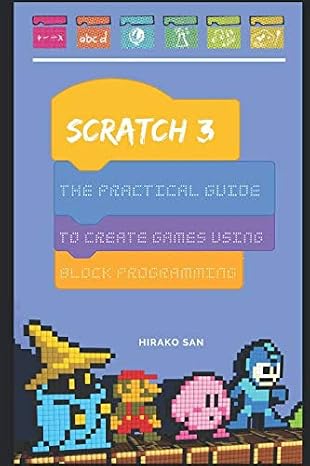
Scratch 3: The Practical Guide To Create Games Using Block Programming
79% of respondents would recommend this to a friend
物品 #:
29713391
HKD 255
Price Details
Excluding Shipping & Custom charges ( Shipping and custom charges will be calculated on checkout )
*All items will import from 美國
0 ratings
轉寫評價
有存貨
 從USA商店導入
QTY:
現在訂購,約可在下列時間收貨: 星期四, 十月 15
Secured transaction
Ubuy works hard to protect your security and privacy. Our advanced payment security system ensures confidentiality by encrypting your information during transmission using AES (Advanced Encryption Standards) and SSL (Secure Socket Layer) protocols. Your payment details are 100% secure as we do not share your payment details with third party sellers.
Our Top Logistics Partners


Master algorithms and create amazing projects with the most powerful coding language for kids.

Fast
Shipping

Free
Return*

Secure Packaging

100% Original Products

PCI DSS Compliance

ISO 27001 Certified



Note: Step Down Voltage Transformer required for using electronics products of 美國 store (110-120). Recommended power converters 立即購買.


What Stands Out
User-Friendly Learning
Designed for beginners, this guide simplifies complex concepts of game development using block programming, making it accessible for young learners and those new to coding.
Hands-On Projects
Includes engaging, step-by-step projects that encourage creativity and practical application, allowing users to construct their own games while mastering Scratch 3 programming skills.
Comprehensive Coverage
Offers in-depth exploration of Scratch 3 features, helping learners tackle various challenges in game design and providing a solid foundation for future programming endeavors.
產品詳情
| Publisher | Independently published |
| Publication date | January 17, 2019 |
| Language | English |
| Print length | 127 pages |
| ISBN-10 | 1794277749 |
| ISBN-13 | 978-1794277748 |
| Item Weight | 7.4 ounces (209.79 grams) |
| Dimensions | 6 x 0.3 x 9 inches (15.2 x 0.8 x 22.9 cm) |
Who Should Buy?

-
Beginner Programmers
Ideal for those new to programming and looking to learn through fun game creation with block programming.
-
Educators and Teachers
Excellent resource for instructors teaching programming concepts to children, enhancing classroom engagement through interactive learning.
-
Parents and Guardians
Helpful for parents seeking to introduce their children to coding in a creative and enjoyable manner.

-
Advanced Developers
Not suitable for experienced programmers looking for complex coding challenges or in-depth programming language tutorials.
產品敘述
Scratch 3: The Practical Guide To Create Games Using Block Programming
有疑問? 與我們聊天
客戶問題與解答
-
題:
如何從 Ubuy 在線購物 Scratch 3: The Practical Guide To Create Games Using?
回答: 從 Ubuy 在線購物 Scratch 3: The Practical Guide To Create Games Using 非常簡單。. 您只需搜索產品,在結賬時選擇運輸方式,然後將其運送到您所在的位置。 -
題:
Scratch 3: The Practical Guide To Create Games Using 可以在 Hong Kong 在線購物嗎?
回答: 是的,您可以在 Ubuy Hong Kong 以合理的價格購買該產品。. Scratch 3: The Practical Guide To Create Games Using 在本地不可用,但您可以信任我們的快遞服務。 -
題:
下訂單後需要多長時間才能收到產品?
回答: 您訂購的產品的交貨時間根據您訂購的商品和您選擇的運輸方式而有所不同。. 結賬時會提到預計送貨時間,所以購物時請放心。
Entertainment & Games Editorial Review
The customer experience surrounding "Scratch 3: The Practical Guide To Create Games Using Block Programming" appears mixed, with various users expressing divergent opinions on the book’s effectiveness for learning Scratch programming. On the positive side, some readers have found value in the book's fun projects, which introduce concepts entertainingly and engagingly. They appreciate the authorship's community focus, allowing users to explore and learn from community-developed projects, which enhances the overall learning experience. One user mentioned spending hours working through the book, indicating that it had some merit in explaining the basics of Scratch, even if geared mostly towards younger users. Conversely, multiple critical reviews pointed out significant flaws in the book. Many readers expressed frustration regarding the outdated content, stating that the book's release prior to the updates in Scratch 3.0 (released in July 2019) resulted in discrepancies in information and functionality that could hinder learning. Critics also mentioned that the book lacked comprehensive explanations of core programming skills, making it unsuitable for those seeking a more in-depth understanding of Scratch. Some reviews questioned the author's passion for the subject, suggesting that financial motivation rather than educational intent might have driven the book's creation. Overall, while the book could be enjoyable for casual learners, its relevance and depth are questioned by many readers. **
Customer Reviews & Ratings
1 客戶評分
-
5 星
100%
-
4 星
0%
-
3 星
0%
-
2 星
0%
-
1 星
0%
評價此產品
與其他客戶分享您的想法
優點
- Engaging and fun projects that introduce basic concepts.
- Community focus allows learning from others' projects.
- Worth the investment of time for some users.
缺點
- Outdated content, lacking updates after Scratch 3.0.
Product Price History
重要資訊
- 限制:如跨國購買產品,請注意製造商的保固有可能無效;製造商服務選項可能無法使用;產品手冊、教學、以及安全警示可能不會是目的地國家的語言;產品(與附加材料)設計也許不會符合目的地國家的標準、規格、以及標示要求;且產品也許不會符合目的地國家的伏特數值與其他電力標準(需要使用合適的變壓器或轉接器)。收件者須負責確定該產品在目的地國家可合法進口。當在 Ubuy 或其聯盟夥伴網站上訂購時,收件者為記錄上的進口者,且必須遵從目的地國家的法律與規範。
- 由於 Ubuy 是一個全球搜尋引擎,並不是所有列於 Ubuy 的產品都有出售。產品須受出口/貿易法規規範。
HKD 255
現在訂購,約可在下列時間收貨: 星期四, 十月 15
This item is not restrict in my country.(Please click on above link if this item is not restrict in your country, So our team will review and allow.)
QTY:
Secured transaction
PCI DSS compliant and ISO 27001:2022 certified, with encrypted payments and full buyer protection on every order.
Our Top Logistics Partners
Fastest cross-border delivery
特色和優勢
- Engaging step-by-step guide to learn coding.
- Focus on creating games and animations with Scratch.
- Introduces the Scratch interface effectively.
- Teaches how to create a simple game in just 1 hour.
- Comprehensive block descriptions for better understanding.
- Includes a variety of popular game examples for practice.
Ubuy Assurance
Experience worry-free shopping with 100% original products, PCI DSS-compliant payment security, ISO 27001-certified data protection, the fastest cross-border delivery, free returns *, and secure packaging on every order.