0 ratings


物品 #:
195320614
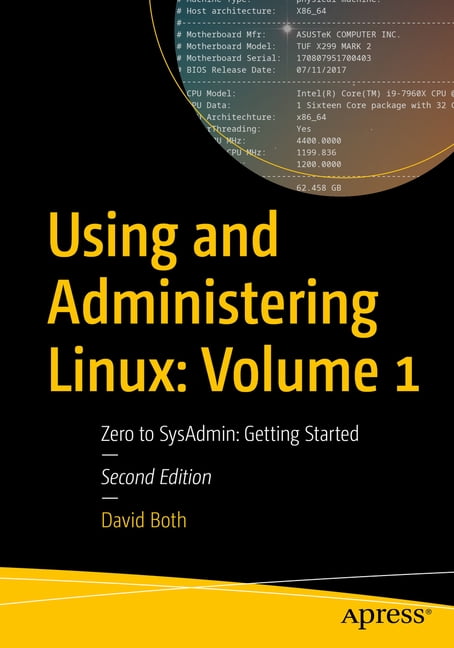
Using and Administering Linux: Volume 1: Zero to Sysadmin: Getting Started, (Paperback)
物品 #:
195320614
HKD 642
Price Details
Excluding Shipping & Custom charges ( Shipping and custom charges will be calculated on checkout )
*All items will import from 美國
0 ratings
轉寫評價
有存貨
 從USA商店導入
QTY:
存貨僅剩 12 個物品。
現在訂購,約可在下列時間收貨: 星期五, 十月 16
Secured transaction
Ubuy works hard to protect your security and privacy. Our advanced payment security system ensures confidentiality by encrypting your information during transmission using AES (Advanced Encryption Standards) and SSL (Secure Socket Layer) protocols. Your payment details are 100% secure as we do not share your payment details with third party sellers.
Our Top Logistics Partners


Fast
Shipping

Free
Return*

Secure Packaging

100% Original Products

PCI DSS Compliance

ISO 27001 Certified



Note: Step Down Voltage Transformer required for using electronics products of 美國 store (110-120). Recommended power converters 立即購買.


產品詳情
- Learn to be a Linux sysadmin and an expert user of the Linux operating system, even with no previous Linux experience. This second edition of the popular and highly rated Linux self-study training course has been fully updated to Fedora Linux 37 with expanded and revised content and figures as well new chapters on the BTRFS file system, using Zram for swap, NetworkManager, automation with Ansible, and systemd.Like the previous version, this edition has been reviewed for technical accuracy by a highly respected Linux expert and will prepare you to manage complex systems with ease and equip you for a new career. It has also been reviewed by a student who took this course to ensure its readability and flow for those with little or no previous experience with Linux.In this first volume of the training course series, you will learn about operating systems in general and Linux in particular, and explore the Linux philosophy for SysAdmins in preparation for the rest of the course. This book provides you with the tools necessary for mastering user management; installing, updating, and deleting software; and using command line tools to do performance tuning and basic problem determination.You'll begin by creating a virtual network and installing an instance of Fedora - a popular and powerful Linux distribution - on a VirtualBox VM that can be used for all of the experiments on an existing Windows or Linux computer. You'll then move on to the basics of using the Xfce GUI desktop and the many tools Linux provides for working on the command line including virtual consoles, various terminal emulators, Bash, and other shells.Explore data streams and the Linux tools used to manipulate them, and learn about the Vim text editor, which is indispensable to advanced Linux users and system administrators and be introduced to some other text editors. You'll also see how to install software updates and new software, learn additional terminal emulators, and some advanced shell skills. Examine the sequence of events that take place as the computer boots and Linux starts up, configure your shell to personalize it in ways that can seriously enhance your command line efficiency, and delve into files and filesystems.What You Will LearnInstall Fedora Linux and basic configuration of the Xfce desktopAccess the root user ID, and the care that must be taken when working as rootUse Bash and other shells in the Linux virtual consoles and terminal emulatorsCreate and modify system configuration files with Use the Vim text editorExplore administrative tools available to root that enable you to manage users, filesystems, processes, and basic network communicationsConfigure the boot and startup sequencesWho This Book Is For Anyone who wants to learn Linux as an advanced user and system administrator at the command line while using the GUI desktop to leverage productivity.
| Book format | Paperback |
| Fiction/nonfiction | Non-Fiction |
| Genre | Computing & Internet |
| Publication date | September, 2023 |
| Pages | 644 |
| Reading level | Professional & Vocational |
| Subgenre | Programming |
| Series title | No Series |
| Number in series | 1 |
| Edition | 2nd Edition |
| Publisher | Apress |
| Original languages | English |
| Language | English |
| Edu focus | Technology |
| Educational level | General |
| Is collectible | N |
| Recording time | 0 min |
| Retail packaging | Single Piece |
| Assembled product dimensions (l x w x h) | 7.00 x 1.37 x 10.00 in (17.8 x 3.5 x 25.4 cm) |
| Assembled product weight | 2.57 lb (1.17 kg) |
| Bisac subject heading | Computers |
產品敘述
Using and Administering Linux: Volume 1: Zero to Sysadmin: Getting Started, (Paperback)
有疑問? 與我們聊天
客戶問題與解答
-
題:
如何從 Ubuy 在線購物 Using and Administering Linux: Volume 1: Zero to?
回答: 從 Ubuy 在線購物 Using and Administering Linux: Volume 1: Zero to 非常簡單。. 您只需搜索產品,在結賬時選擇運輸方式,然後將其運送到您所在的位置。 -
題:
Using and Administering Linux: Volume 1: Zero to 可以在 Hong Kong 在線購物嗎?
回答: 是的,您可以在 Ubuy Hong Kong 以合理的價格購買該產品。. Using and Administering Linux: Volume 1: Zero to 在本地不可用,但您可以信任我們的快遞服務。 -
題:
下訂單後需要多長時間才能收到產品?
回答: 您訂購的產品的交貨時間根據您訂購的商品和您選擇的運輸方式而有所不同。. 結賬時會提到預計送貨時間,所以購物時請放心。
David Both All Books Editorial Review
未找到編輯評論
Customer Reviews & Ratings
1 客戶評分
-
5 星
0%
-
4 星
100%
-
3 星
0%
-
2 星
0%
-
1 星
0%
評價此產品
與其他客戶分享您的想法
Product Price History
重要資訊
- 限制:如跨國購買產品,請注意製造商的保固有可能無效;製造商服務選項可能無法使用;產品手冊、教學、以及安全警示可能不會是目的地國家的語言;產品(與附加材料)設計也許不會符合目的地國家的標準、規格、以及標示要求;且產品也許不會符合目的地國家的伏特數值與其他電力標準(需要使用合適的變壓器或轉接器)。收件者須負責確定該產品在目的地國家可合法進口。當在 Ubuy 或其聯盟夥伴網站上訂購時,收件者為記錄上的進口者,且必須遵從目的地國家的法律與規範。
- 由於 Ubuy 是一個全球搜尋引擎,並不是所有列於 Ubuy 的產品都有出售。產品須受出口/貿易法規規範。
HKD 642
現在訂購,約可在下列時間收貨: 星期五, 十月 16
This item is not restrict in my country.(Please click on above link if this item is not restrict in your country, So our team will review and allow.)
QTY:
存貨僅剩 12 個物品。
Secured transaction
PCI DSS compliant and ISO 27001:2022 certified, with encrypted payments and full buyer protection on every order.
Our Top Logistics Partners
Fastest cross-border delivery
Ubuy Assurance
Experience worry-free shopping with 100% original products, PCI DSS-compliant payment security, ISO 27001-certified data protection, the fastest cross-border delivery, free returns *, and secure packaging on every order.