


物品 #:
6976927
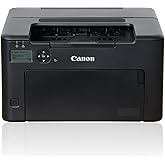
Canon imageCLASS MF3010 Multifunction Laser Printer
87% of respondents would recommend this to a friend
物品 #:
6976927
HKD 2000
Price Details
Excluding Shipping & Custom charges ( Shipping and custom charges will be calculated on checkout )
*All items will import from 美國
0 ratings
轉寫評價
有存貨
 從USA商店導入
QTY:
現在訂購,約可在下列時間收貨: Monday, 十一月 16
Secured transaction
Ubuy works hard to protect your security and privacy. Our advanced payment security system ensures confidentiality by encrypting your information during transmission using AES (Advanced Encryption Standards) and SSL (Secure Socket Layer) protocols. Your payment details are 100% secure as we do not share your payment details with third party sellers.
Our Top Logistics Partners


Fast
Shipping

Free
Return*

Secure Packaging

100% Original Products

PCI DSS Compliance

ISO 27001 Certified



Note: Step Down Voltage Transformer required for using electronics products of 美國 store (110 V-120 V). Recommended power converters 立即購買.


What Stands Out
Compact Design
The Canon imageCLASS MF3010 features a space-saving design, perfect for home offices or small workspaces, allowing it to fit seamlessly in tight environments without sacrificing functionality.
Fast Printing
Experience rapid print speeds of up to 19 pages per minute, ensuring efficient productivity while minimizing waiting time, making it suitable for busy professionals and small businesses.
Multifunctional Capability
This printer combines printing, copying, and scanning functionalities, providing versatile solutions in a single device, reducing the need for multiple machines and saving money and space.
產品詳情
| Printer Type | Laser |
| Other Special Features of the Product | Compact |
| Printer Output Type | Monochrome |
| Item Weight | 17 pounds (7.71 kg) |
| Item Dimensions D x W x H | 20.35"D x 15.39"W x 14.17"H (51.7 x 39.1 x 36 cm) |
| Controller Type | USB or Remote |
| Print media | Card stock, Envelopes, Glossy photo paper, High-resolution paper, Paper (plain) |
| Scanner Type | Flatbed, Sheetfed |
| Maximum Copy Speed Black and White | 19 pages_per_minute |
| Compatible Devices | Computers, laptops, and devices with a USB interface |
| EU Spare Part Availability Duration | 1 years |
| Ink Color | Black |
| Additional Printer Functions | All In One |
| Control Method | Remote |
| Number of Trays | 1 |
| Display Type | LED |
| Resolution | 300 x 300 dpi, Up to 600 dpi x 600 dpi |
| Maximum Media Size | 8.5" x 14" |
| Maximum Sheet Capacity | 150 |
| Paper Size | 8.5 inches |
| Output sheet capacity | 150 |
| Printer Connectivity Type | USB |
| Hardware Interface | USB |
| Total USB 2.0 Ports | 1 |
| Total Usb Ports | 1 |
| Maximum Copy Resolution Color | 9600 dpi |
| Maximum Copy Resolution Black and White | 300 dpi |
| Brand | Canon |
| Model Name | MF3010 |
| Model Number | 5252B002 |
| Built-In Media | Ink Toner |
| Model Series | MF30 |
| Specific Uses For Product | Home, Office |
| UPC | 013803135442 |
| Unit Count | 1 Count |
| Item Type Name | Desktop Printer, Camera Dock Printer, Desktop Fax Machine |
| Manufacturer | Canon |
| Color Pages per Minute | 15.5 pages_per_minute |
| B&W Pages per Minute | 19 pages_per_minute |
| Initial Page Print Time | 10 seconds |
| Color | Black |
| Color Depth | 1 bpp |
| Maximum print Resolution Color | 9600 dpi |
| Maximum Print Resolution Black and White | 300 dpi |
| Wattage | 1.2 watts |
| Duplex | Automatic |
| Connectivity Technology | USB |
| Printing Technology | Laser |
| Special Feature | Compact |
| Printer Output | Monochrome |
| Maximum Print Speed (Color) | 15.5 pages_per_minute |
| Max Printspeed Monochrome | 19 pages_per_minute |
What's in the box
Ink Toner
Who Should Buy?

-
Home Office Users
Ideal for individuals needing reliable printing, scanning, and copying without taking up much space in a home office.
-
Small Businesses
Efficient for small business owners requiring a multifunction printer with low operating costs and fast print speeds.
-
Students
Great choice for students needing high-quality prints for assignments and projects in a compact and affordable machine.

-
Heavy Print Volume
Not suitable for users with high-volume printing needs, as it might require frequent toner replacements.
產品敘述
有疑問? 與我們聊天
客戶問題與解答
-
題:
如何從 Ubuy 在線購物 Canon imageCLASS MF3010 Multifunction Laser Printer?
回答: 從 Ubuy 在線購物 Canon imageCLASS MF3010 Multifunction Laser Printer 非常簡單。. 您只需搜索產品,在結賬時選擇運輸方式,然後將其運送到您所在的位置。 -
題:
Canon imageCLASS MF3010 Multifunction Laser Printer 可以在 Hong Kong 在線購物嗎?
回答: 是的,您可以在 Ubuy Hong Kong 以合理的價格購買該產品。. Canon imageCLASS MF3010 Multifunction Laser Printer 在本地不可用,但您可以信任我們的快遞服務。 -
題:
下訂單後需要多長時間才能收到產品?
回答: 您訂購的產品的交貨時間根據您訂購的商品和您選擇的運輸方式而有所不同。. 結賬時會提到預計送貨時間,所以購物時請放心。
Canon Laser Printers 5252B002 Editorial Review
Canon imageCLASS MF3010 Multifunction Laser Printer is a compact and efficient choice for both home and office environments. Users appreciate its reliable monochrome printing and the longevity of its toner, ensuring great value for ongoing use. The installation process can be somewhat challenging as it’s recommended to download drivers online rather than using the included disk. Many have highlighted its excellent scanning features, supporting both PDF black and white and color scans. However, some users faced issues with paper jams even before their first use, which might require patience during setup and operation.
Customer Reviews & Ratings
208 客戶評分
-
5 星
58%
-
4 星
19%
-
3 星
9%
-
2 星
4%
-
1 星
10%
評價此產品
與其他客戶分享您的想法
優點
- Compact design saves space in any environment
- Long-lasting toner reduces replacement frequency
- Exceptional scanning quality for both black and color
- Compatible with various devices through USB
- Quick print speed of up to 19 pages per minute
缺點
- Installation may be tricky for first-time users
Platform Trust & Buyer Confidence

SN
Susanna
Verified buyer
“Great product. Good delivery and service.”
18 September 2026 · via Trustpilot
C
Chris
Verified buyer
“Fast delivery”
24 September 2026 · via Trustpilot
AK
ayush
Verified buyer
“Excellent experience with Ubuy Hong Kong. I ordered the Google Fitbit Air (Screenless Tracker) and it arrived quicker than expected. The packaging was secure, and the device is 100% authentic and brand new. It’s a fantastic little device for tracking health metrics without the distraction of a screen. The battery life is great, and it’s very comfortable to wear 24/7. Ubuy made the international ordering process easy. 5 stars for reliability and speed!”
25 September 2026 · via Trustpilot
E
Edmond
Verified buyer
“Great service and fast shipping.”
07 October 2026 · via Trustpilot
WM
William
Verified buyer
“The platform offers a chance to purchase the item which is not available for sale in my place, the waiting time was reasonable and once the item delivered to their warehouse, the logistic arrangement was very quick and the item was delivered before the tentative date, the condition of item is good.”
09 October 2026 · via Trustpilot
WHY SHOP WITH US
安全結帳
Global Delivery
Easy Returns
Genuine Products
Customers also viewed these products

Product Price History
重要資訊
- 限制:如跨國購買產品,請注意製造商的保固有可能無效;製造商服務選項可能無法使用;產品手冊、教學、以及安全警示可能不會是目的地國家的語言;產品(與附加材料)設計也許不會符合目的地國家的標準、規格、以及標示要求;且產品也許不會符合目的地國家的伏特數值與其他電力標準(需要使用合適的變壓器或轉接器)。收件者須負責確定該產品在目的地國家可合法進口。當在 Ubuy 或其聯盟夥伴網站上訂購時,收件者為記錄上的進口者,且必須遵從目的地國家的法律與規範。
- 由於 Ubuy 是一個全球搜尋引擎,並不是所有列於 Ubuy 的產品都有出售。產品須受出口/貿易法規規範。
HKD 2000
現在訂購,約可在下列時間收貨: Monday, 十一月 16
This item is not restrict in my country.(Please click on above link if this item is not restrict in your country, So our team will review and allow.)
QTY:
Secured transaction
PCI DSS compliant and ISO 27001:2022 certified, with encrypted payments and full buyer protection on every order.
Our Top Logistics Partners
Fastest cross-border delivery
Ubuy Assurance
Experience worry-free shopping with 100% original products, PCI DSS-compliant payment security, ISO 27001-certified data protection, the fastest cross-border delivery, free returns *, and secure packaging on every order.